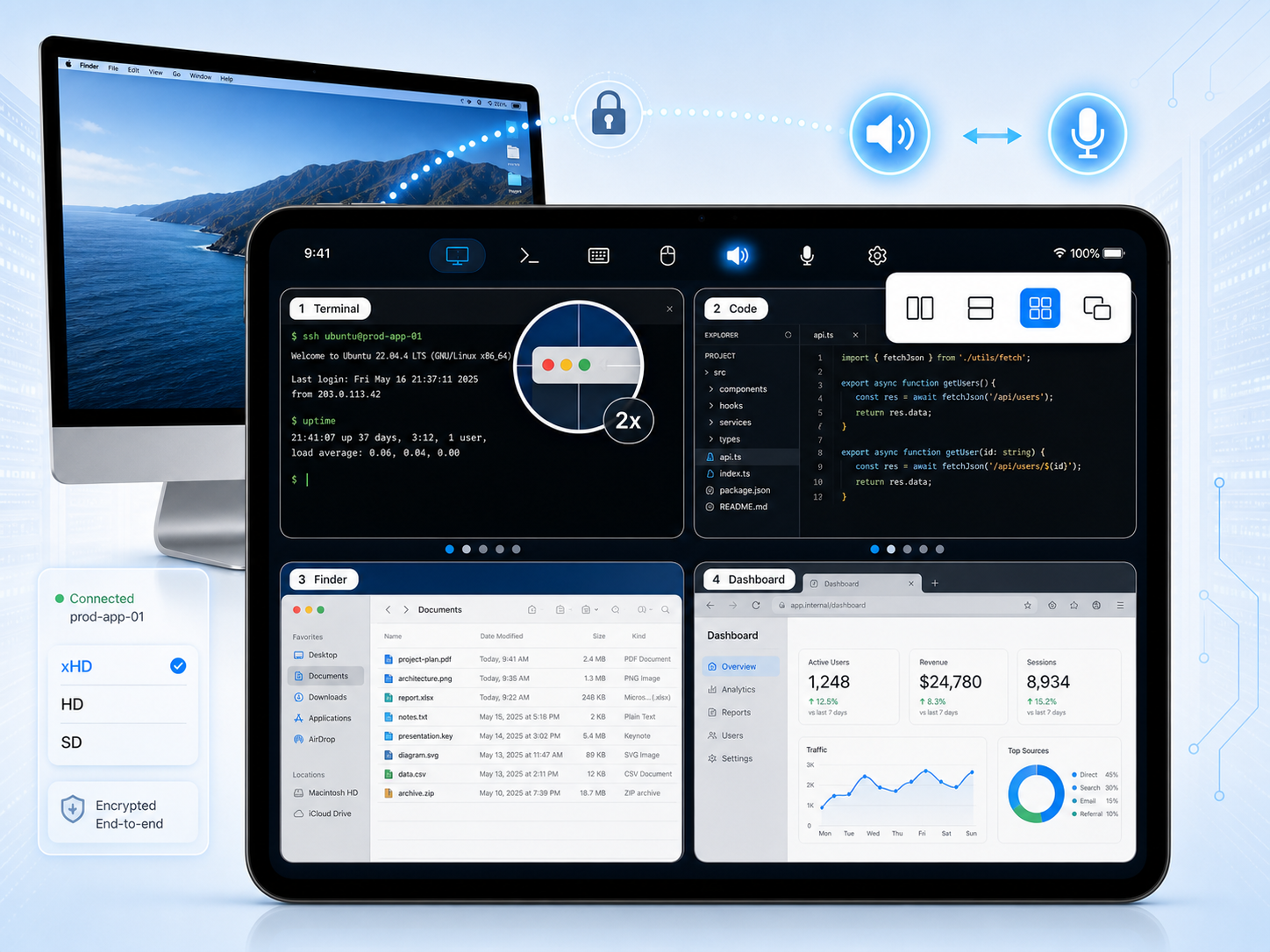
One native app for iPhone and iPad — a keep-alive SSH & Mosh terminal AND full remote desktop control of your Mac, from anywhere.
Terminals reattach after a lock, an app switch, or a network change. Every display on your Mac streams to your hands — with no port forwarding to set up. Keys and sessions stay end-to-end on your own devices.
iPhone & iPad on the App Store · Free Mac companion for macOS 14+ (Apple Silicon) · About SharkTTY Desk →
The Mac app needs SharkTTY 1.6+ on iPhone/iPad. Older app? Get Desk 0.5.0
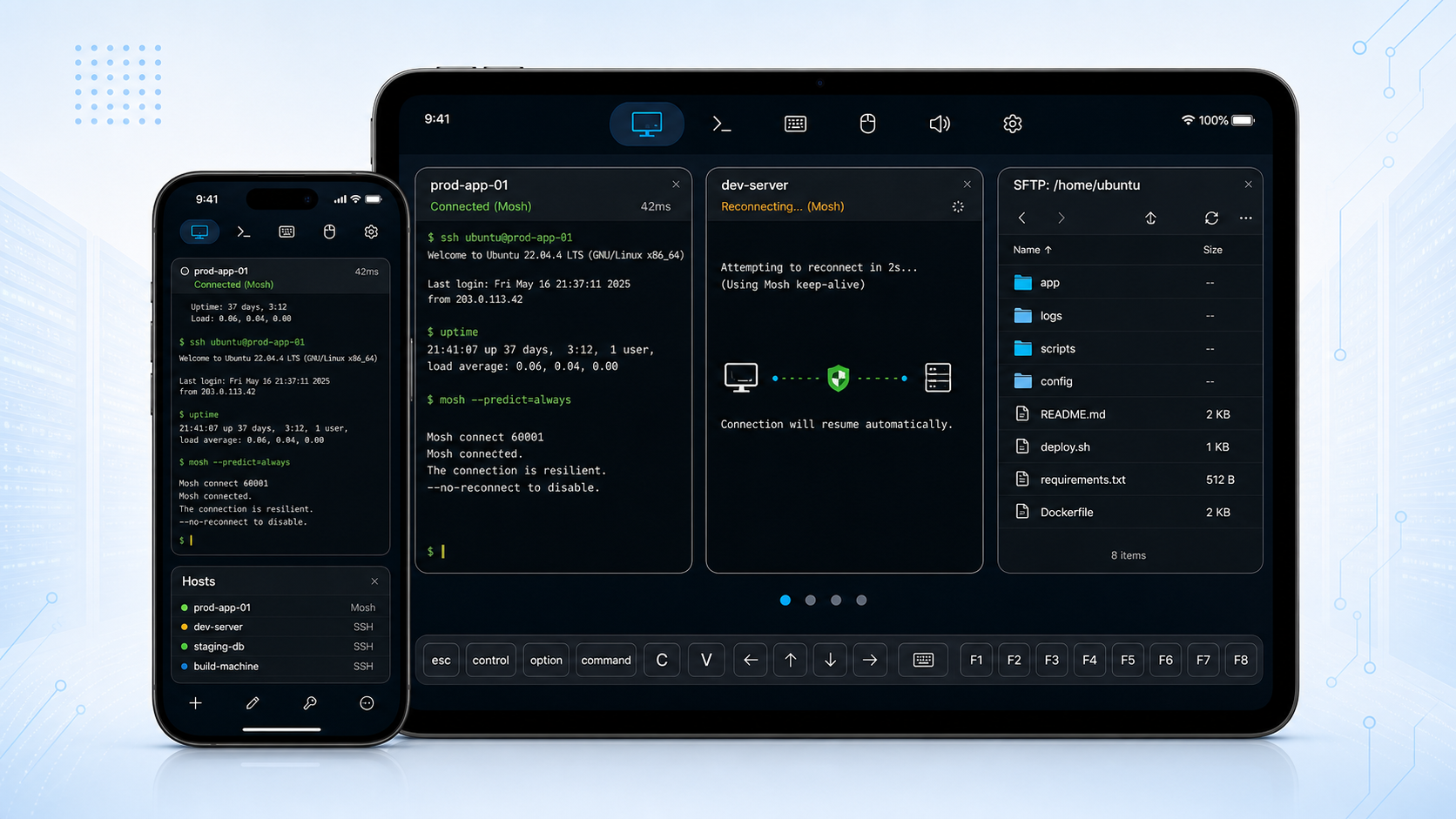
SharkTTY pairs a resilient terminal with a full Mac remote desktop. Use either on its own, or both together.
Open a shell to any Linux, BSD, or macOS box over SSH or Mosh. Sessions survive network changes, keys never leave your Keychain, and a built-in file manager moves files over SFTP.
Explore the terminalInstall SharkTTY Desk on your Mac and see every display at once — control the whole desktop by touch with a virtual mouse & keyboard, adaptive resolution, and two-way audio, from anywhere.
Explore remote desktopEverything you need to run a server from a phone — secure by default, resilient on flaky networks.
Works with any standard sshd — nothing to install on the host. Open an interactive shell to your VPS, NAS, Raspberry Pi, or workstation.
Roam across Wi-Fi and cellular with instant local echo on unstable links. Mosh keeps typing snappy even when latency spikes.
Lock the device or switch apps, then pick up where you left off. Attach a
startup script like tmux new -A -s mobile to reattach on reconnect.
Generate Ed25519, ECDSA, or RSA keys on device; import or paste existing keys; export the public key for your admin. Private keys live only in the iOS Keychain.
Trust-on-first-use pinning records each server's identity and warns you loudly if a host key ever changes.
Browse, upload, and download files over SFTP, WebDAV, iCloud Drive, and shared folders — or send a file straight to the server from the terminal.
Plus: a full keyboard accessory bar (Esc, Ctrl, arrows, Tab) and a movable on-screen keyboard with symbols, Tab and Return, developer fonts and color themes, external keyboard & trackpad support on iPad, and optional iCloud sync of your host and key lists. No account required to reach your own servers.
Enter the hostname and user, then pick a password or an on-device key.
Choose SSH or Mosh, and optionally attach a startup script to reattach tmux.
Lock, switch apps, or change networks — reconnect lands back in your session.
A mobile connection drops. A good terminal doesn't lose your session.
Install SharkTTY Desk on the Mac, pair it with the app, and every display shows up under Remote Desktop — fully controllable by touch.
Two, three, or more monitors — arrange them side by side, stacked, in a quad grid, or picture-in-picture, then tap any screen to take control. Each display streams on demand, so a full multi-monitor Mac fits in your hands.
Touch, trackpad gestures, and a virtual pointer (two-finger tap to right-click). Type on a floating on-screen keyboard you can move, resize and dim — full symbols, ⌘⌥⌃ modifiers and F-keys — and send macOS shortcuts.
Client-driven resolution from xHD native pixels down to a smooth low-bandwidth mode that downgrades automatically when the network dips — plus a native-resolution magnifier for pixel-precise work.
Spin up an extra, headless screen sized to your iPad — perfect for a Mac mini with no monitor, or a second workspace you carry with you.
Wake a sleeping Mac over the network, keep it awake while connected, and — optionally — view the login window and type your password to unlock it remotely after a reboot.
Hear the Mac's system audio on your device, and use your iPhone or iPad as the Mac's microphone for calls, recordings, and dictation. Needs SharkTTY 1.7+.
Download the free Mac app, drag it to Applications, and launch it. It lives quietly in the menu bar.
Allow Screen Recording and Accessibility so it can capture the display and inject keyboard & mouse input.
Sign in to the same account or scan the pairing QR — this Mac appears under Remote Desktop in SharkTTY.
Both your device and your Mac dial out, so there's never a port to open, a firewall to poke, or a VPN to configure.
On the same network SharkTTY connects directly for the lowest latency, with each display streaming on demand.
When there's no direct path, sessions route through a managed relay — or a WebSocket-over-443 fallback for locked-down Wi-Fi. Every session is end-to-end encrypted, and the relay only ever forwards ciphertext.
On your local network several iPhones and iPads can view and control one Mac at once. Approve each viewer before it gets in, and kick anyone off with a tap.
Prefer not to touch our servers? Run the open-source desk-relay on any public box. Both ends dial out to it; it pairs them by room and forwards their encrypted streams. No SharkTTY account required.
Point SharkTTY Desk at your relay's address, then scan its link from any network — you're the only one who can see the traffic.
$ desk-relay \ --bind 0.0.0.0:4443 \ --wss-bind 0.0.0.0:8080 \ --public-url https://relay.example.com \ --shared-secret '<random-long-secret>'
Free on the App Store, with a free Mac companion — secure, fast, and resilient wherever you are.
Want to view and control your Mac too? Learn more about SharkTTY Desk →
The Mac app needs SharkTTY 1.6+ on your iPhone or iPad. Older app? Download Desk 0.5.0.
SharkTTY has a built-in feedback board — request features, report bugs, and read announcements. It's now on the web too, so you can browse and post from anywhere. Sign in with your SharkTTY account and your posts show up in both the app and here.